Account and Authentication
Purpose
Explain verified sign-in boundaries and safe handling of protected destinations.
Eligible Users and Roles
Guests beginning authentication; customers and creators using authenticated V6 routes. Administrator authentication is Blocked in this guide.
Prerequisites
Use only an authorized synthetic account and local/test identity configuration. Never record passwords, session cookies, or provider tokens.
How to Open This Feature
Open /sign-in directly or navigate to a protected destination such as /settings as a guest.
Step-by-Step Instructions
Step 1: Open a Protected Destination
Open /settings while signed out.
Step 2: Confirm the Return Destination
The verified guest path redirects to /sign-in?next=%2Fsettings.
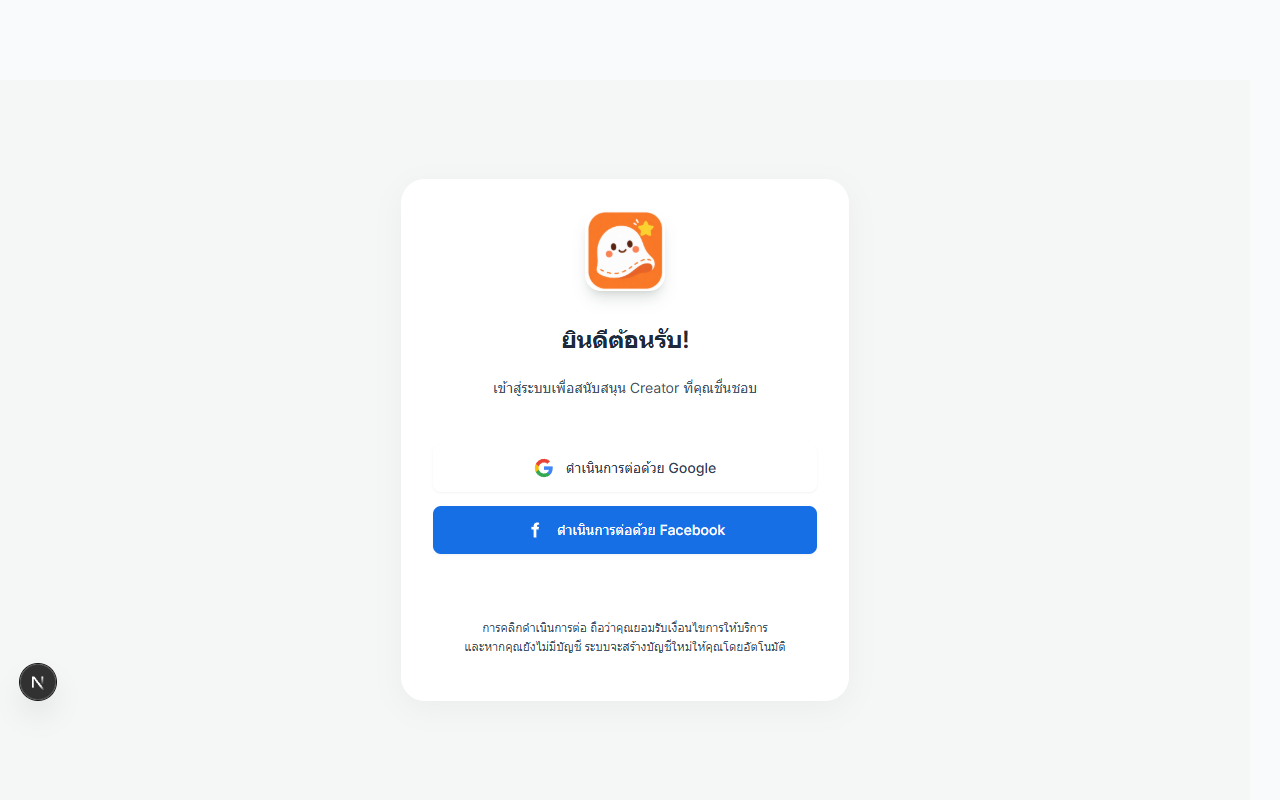
Step 3: Authenticate Safely
Use an approved local provider/account. Complete provider success, cancellation, lockout, expiry, multi-tab, and concurrent-session matrices only in an isolated fixture; they are not fully verified here.
Possible States
Unauthenticated
Protected navigation redirects to sign-in.
Authenticated
Customer or creator routes become available according to server authorization.
Authentication Unavailable
Unavailable status must remain distinct from signed-out status and provide safe recovery.
Expired or Forbidden
Comprehensive 401/403/session-expiry operation is Not Tested in this audit.
Input Rules and Limits
Do not document credentials. Password and provider limits must come from the active identity configuration; unverified values are not listed.
Common Problems and Recovery
- Retry an unavailable session check only after the dependency recovers.
- Return to the preserved destination after successful sign-in.
- If
/accountis reached, note that its placeholder contract requires a product decision;/settingsis the implemented surface.
Important Warnings
A hidden control or redirect does not replace server-side authorization. Never use production identity accounts for destructive or repeated-login testing.
What Happens Next
Customers can continue to profile, address, cart, checkout, and orders; creators can continue to onboarding and Studio features.